
Microsoft’s biggest annual conference is almost here. Microsoft Ignite 2026 takes place from November 17 to 20, 2026, at the Moscone Center in San Francisco, California. Whether you are an IT professional, a cloud architect, a developer, or a business leader, this event is worth your attention. It brings the global Microsoft community together to explore what is next in artificial intelligence, cloud computing, security, and enterprise technology.
This guide covers everything you need to know before you go — dates, tickets, registration, sessions, speakers, and more.
Event Overview at a Glance
| Detail | Information |
| Event Name | Microsoft Ignite 2026 |
| Dates | November 17–20, 2026 |
| Venue | Moscone Center, San Francisco, CA |
| Format | In-person and Digital |
| Expected In-Person Attendees | 20,000+ |
| Expected Digital Attendees | 200,000+ |
| Sessions Available | 830+ |
| Speakers | 2,100+ |
| Digital Pass Cost | Free |
| Hub-Only Pass | $1,625 |
| Conference Pass | $2,325 |
When and Where Is Microsoft Ignite 2026?
The conference runs from Tuesday, November 17, through Friday, November 20, 2026. It is hosted at the Moscone Center, one of the West Coast’s most established convention venues. Badge pickup and pre-day learning begin on November 16, giving early arrivals a head start.
San Francisco is well connected by air, rail, and public transport. The Moscone Center sits in the heart of the city, making it easy to reach from most major hotels. Therefore, booking accommodation early is strongly recommended, as the city fills up quickly during large tech events.
For those who cannot travel, Microsoft offers a free digital attendance option. Virtual attendees can watch live-streamed keynotes, access on-demand session recordings, and participate in select online experiences. However, in-person attendance does offer a richer experience through hands-on labs, expo floor access, and real-time networking.
Ticket Types and Pricing
Microsoft Ignite 2026 offers three pass options. Each one suits a different kind of attendee.
| Pass Type | Price | What’s Included |
| Conference Pass | $2,325 | Full in-person access, all sessions, Hub, and digital venue |
| Hub-Only Pass | $1,625 | Hub (expo floor) access, November 17–19 only, including theater sessions |
| Digital Pass | Free | Live-streamed keynotes, on-demand sessions, and virtual content |
The Conference Pass gives you the most complete experience. It covers all sessions held at Moscone Center as well as full access to the digital venue. The Hub-Only Pass is ideal for those who want to explore the expo floor and engage with partner booths without attending every breakout session. The Digital Pass, additionally, is the most accessible option, opening the event to anyone with an internet connection.
Always confirm current pricing and pass terms directly on the official Microsoft Ignite website, as prices and inclusions can change.
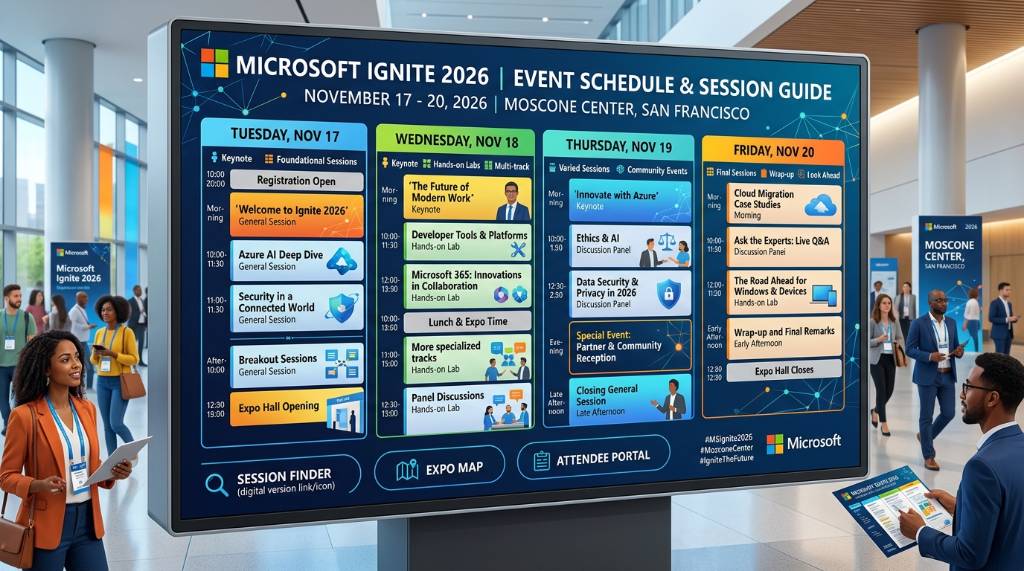
How to Register for Microsoft Ignite 2026
Registration is now open. You can sign up through the official Microsoft Ignite website at ignite.microsoft.com. The process is straightforward. Simply choose your pass type, create or log in with your Microsoft account, and complete the checkout steps.
Here are a few tips to make registration easier:
- Register early to lock in your spot, as in-person passes are limited.
- Add the event to your calendar after registering, so you don’t miss any pre-event updates.
- Check for any early-access promotions, as Microsoft sometimes offers incentives for early registrants.
- Review the session catalog before the event and reserve seats for high-demand technical sessions.
- Verify your company’s reimbursement or expense policy before choosing a pass type.
Additionally, if you plan to take certification exams on-site, check the registration flow for lab reservation requirements. Slots fill fast and may require a separate booking.
Sessions: What to Expect in the Agenda
With more than 830 sessions on the schedule, Microsoft Ignite 2026 offers something for every professional level. Sessions range from executive overviews to advanced engineering deep-dives. Microsoft labels content across five technical depth levels, so you can find sessions that match your experience.
The agenda covers several major content tracks:
Artificial Intelligence and Copilot
AI is the headline theme this year. Sessions in this track explore Microsoft 365 Copilot, Agent Factory, the Agent 365 control plane, and AI security. These sessions are designed for professionals who want to understand how AI is being woven into every layer of the Microsoft stack.
Azure Cloud and Infrastructure
Cloud architects and engineers will find deep-dive content on Azure innovations. Topics include hybrid cloud strategies, scalable architectures, Kubernetes, serverless computing, and cloud-native development patterns.
Security, Identity, and Compliance
Security professionals can attend sessions focused on Microsoft Entra ID, Microsoft Defender for Endpoint, Microsoft Sentinel, data protection, and identity governance. The security track covers both strategy and hands-on implementation.
Microsoft 365 and Productivity Tools
This track focuses on Exchange, Teams, SharePoint, and the broader Microsoft 365 ecosystem. It is particularly useful for IT admins and digital workplace teams.
Developer Tools and Business Applications
Developers working with Visual Studio, .NET, GitHub Copilot, Azure DevOps, and Power Platform will find relevant content here. Business application sessions explore Power Platform, Dynamics 365, and enterprise automation.
The Hub is open November 17–19 and features live theater sessions from both Microsoft and its partners. These shorter, focused talks are a great way to pick up practical knowledge between longer sessions.
Confirmed Speakers at Microsoft Ignite 2026
Microsoft has confirmed an impressive lineup of speakers for the 2026 event. With more than 2,100 speakers expected, the roster spans executives, engineers, product leaders, and real-world practitioners.
Confirmed speakers include:
| Speaker | Title |
| Satya Nadella | Chairman and CEO, Microsoft |
| Arun Ulag | Executive Vice President, Azure Data |
| Nicole Herskowitz | CVP, Microsoft 365 and Copilot |
| Omar Shahine | CVP, Microsoft Scout |
| Bryan Goode | CVP, Business Applications |
| Vasu Jakkal | CVP, Marketing Security |
| Jared Spataro | CMO, AI at Work |
| Mark Russinovich | CTO, Deputy CISO, and Technical Fellow, Microsoft Azure |
| Cyril Belikoff | Vice President, Cloud and AI |
| Nitasha Chopra | VP and Chief Operating Officer, Copilot Studio |
| Seth Juarez | Staff Developer Advocate |
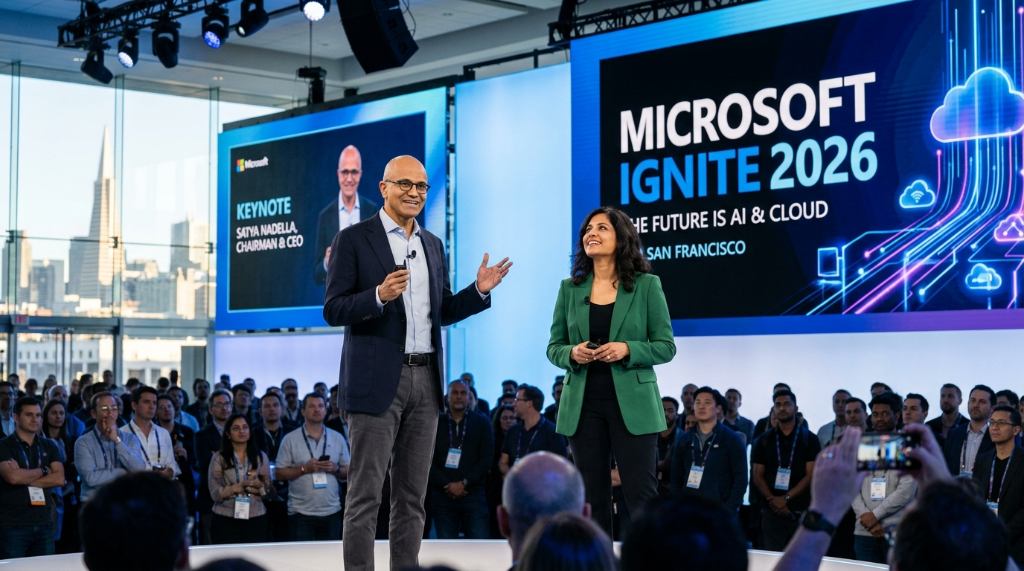
Satya Nadella’s keynote is always one of the most anticipated moments of the event. His addresses typically set the tone for Microsoft’s vision and reveal major product directions. Furthermore, the technical keynotes from engineering leaders offer a deeper look at how those visions translate into real products.
The Hub: Expo Floor Experience
The Hub is the beating heart of the in-person event. It is Microsoft’s branded expo floor, open from November 17 to 19. You will find Microsoft’s own product booths staffed by engineers who go beyond typical sales pitches to answer real technical questions.
Partner exhibitors cover a wide range of the Microsoft ecosystem, including:
- Managed service providers (MSPs)
- Azure migration and modernization consultancies
- Independent software vendors (ISVs) with Microsoft certifications
- Security service providers
- Hardware partners such as Dell, HP, and Lenovo
- Industry-specific solution builders on Microsoft Cloud
The Hub is where meaningful conversations happen. Therefore, plan your visits. Identify the companies most relevant to your role and goals before the event, so you can make the most of your time on the floor.
The Book of News
Every year, Microsoft publishes the Book of News on the opening day of the conference. It is an official compilation of every product announcement made during the event. If you cannot attend every keynote, the Book of News is the fastest way to survey what Microsoft has announced.
It is published on the Microsoft Tech Community blog and the official Microsoft Ignite website. Additionally, it is accessible to everyone — not just registered attendees — making it a valuable resource for those who follow the event from afar.
Who Should Attend?
This event is built for professionals with serious engagement in the Microsoft technology ecosystem. The ideal attendee falls into one of these groups:
- IT professionals managing Microsoft 365 environments
- Cloud architects and engineers building on Azure
- Security professionals working with Microsoft’s security portfolio
- Developers using Visual Studio, .NET, GitHub Copilot, or Azure DevOps
- Business leaders and enterprise architects evaluating technology roadmaps
- Microsoft partners, including MSPs, ISVs, and system integrators
If your organization has standardized on Microsoft products, attending gives you early access to the product roadmap. You will understand new capabilities, upcoming changes, and pricing shifts before they are widely publicized.
Tips for Getting the Most Out of the Event
Preparation makes a big difference. Here are some practical ways to get more value from your time at Microsoft Ignite 2026:
- Use the official session catalog at ignite.microsoft.com/sessions to filter by topic, audience, and technical level before the event.
- Arrive early for popular sessions, as capacity is limited for many breakout rooms.
- Block time in your schedule for expo floor visits and networking, not just sessions.
- Bring business cards or a digital contact-sharing method for smooth networking.
- Follow Microsoft Ignite on social media for real-time updates during the event.
- Download the official Microsoft Events app to manage your personal schedule.
Conclusion
Microsoft Ignite 2026 is shaping up to be a landmark event. It runs November 17–20 at the Moscone Center in San Francisco. With 830+ sessions, 2,100+ speakers, and a focus on AI, cloud, and security, it offers unparalleled depth for anyone working in the Microsoft ecosystem. Three pass options — Conference at $2,325, Hub-Only at $1,625, and Digital for free — ensure that the event is accessible whether you are traveling to San Francisco or attending from anywhere in the world. Registration is now open, and early booking is strongly advised. In short, if Microsoft technology shapes how your organization works, this is the one event you should not miss in 2026.
Frequently Asked Questions (FAQs)
When is Microsoft Ignite 2026?
Microsoft Ignite 2026 takes place from November 17 to 20, 2026.
Where is Microsoft Ignite 2026 being held?
The in-person event is at the Moscone Center in San Francisco, California.
How much does a ticket to Microsoft Ignite 2026 cost?
The Conference pass costs $2,325. The Hub-Only pass is $1,625. The Digital pass is free.
How do I register for Microsoft Ignite 2026?
You can register on the official Microsoft Ignite website at ignite.microsoft.com.
Can I attend Microsoft Ignite 2026 virtually?
Yes. Microsoft offers a free Digital pass that includes live-streamed keynotes and on-demand session access.
Who is the keynote speaker at Microsoft Ignite 2026?
Satya Nadella, Microsoft’s Chairman and CEO, is among the confirmed keynote speakers.
How many sessions are available at Microsoft Ignite 2026?
There are over 830 sessions covering AI, cloud, security, developer tools, Microsoft 365, and more.
What is the Book of News at Microsoft Ignite?
Microsoft officially compiled all product announcements released on the conference’s opening day.
Is Microsoft Ignite 2026 different from Microsoft Build?
Yes. Microsoft Build focuses on developers and typically takes place in May. Microsoft Ignite targets IT professionals, enterprise administrators, and business leaders in November.
Can I take Microsoft certification exams at the event?
Microsoft lists onsite certification opportunities. Check the official registration flow for eligibility and reservation requirements.