
TikTok remains one of the most popular social media platforms in the United States and worldwide. Recent reports show that TikTok has more than 1 billion active users every month. Many users block accounts to improve privacy, avoid spam, or control unwanted interactions. However, people often forget which accounts they blocked over time. That is why many users search for easy ways to review and manage blocked profiles on TikTok. Fortunately, TikTok provides a simple option inside account settings. This guide explains every step clearly and helps you manage blocked accounts without confusion.
Why People Block Accounts On TikTok
Many TikTok users block accounts to stop harassment or avoid negative comments. Others block spam accounts that constantly send promotional messages. In some cases, users block strangers to protect personal privacy. Therefore, blocked accounts help create a safer and more comfortable TikTok experience.
Some people also block users during arguments and later forget about it. After several months, they may want to reconnect or review old blocked profiles. In addition, creators often block fake followers or bots to maintain engagement quality. As a result, checking the blocked list becomes important for account management.
What Happens When You Block Someone On TikTok
Blocking someone on TikTok immediately limits communication between both accounts. The blocked person cannot view your videos or interact with your content anymore. They also cannot send messages or follow your account. Consequently, blocking creates a strong privacy barrier on the platform.
TikTok does not notify users when someone blocks them. Therefore, the blocked person usually notices only after searching for the account. Additionally, all previous interactions become restricted after blocking. This feature helps users avoid uncomfortable situations online.
How To See Blocked Accounts On TikTok Using The Mobile App
TikTok allows users to view blocked accounts directly from account settings. The process works similarly on both Android and iPhone devices. Moreover, the menu layout remains simple and user-friendly. Follow the steps below carefully to access your blocked list.
Open Your TikTok Profile
First, launch the TikTok app on your smartphone. Next, tap the “Profile” icon located in the bottom-right corner. After that, your TikTok profile page will appear. This section contains all account management settings.
Make sure you stay logged into the correct TikTok account. Some users accidentally check the wrong profile when using multiple accounts. Therefore, verify your username before moving forward. This step prevents unnecessary confusion later.
Access Settings And Privacy
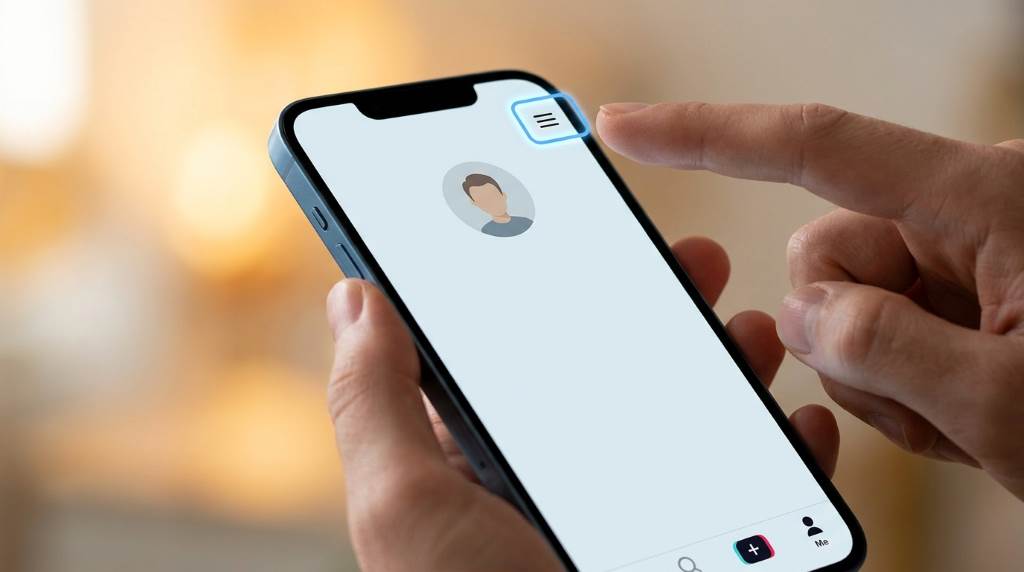
Now tap the three-line menu icon in the top-right corner of your profile. After opening the menu, select “Settings and Privacy.” TikTok stores most privacy controls inside this section. As a result, you can manage security and blocked accounts here.
The settings menu also includes tools for notifications and account safety. In addition, users can control comments, downloads, and direct messages. Therefore, this area works as the central privacy hub. Spend some time exploring these options if needed.
Open The Privacy Section
Inside “Settings and Privacy,” tap the “Privacy” option. This section controls who can interact with your account. Furthermore, TikTok organizes privacy settings in a very clear format. Users can easily navigate through different controls.
You will notice settings for followers, comments, mentions, and profile visibility. Scroll slowly until you find the blocked accounts option. Usually, TikTok places it near the bottom of the menu. Consequently, many users overlook it at first glance.
View Your Blocked Accounts List
Tap “Blocked Accounts” to see every account you blocked. TikTok instantly displays the complete blocked users list. Moreover, profiles appear in chronological order in many cases. This makes account management easier.
You can search through the list manually if you blocked many people. In addition, TikTok allows instant unblocking from this screen. Simply tap the “Unblock” button beside any profile. The account will immediately regain access to your content.
How To Unblock Someone On TikTok
Sometimes users change their minds and want to reconnect with someone. Fortunately, TikTok makes the unblocking process very simple. The steps take less than one minute to complete. Therefore, users can quickly restore communication.
Follow these simple steps:
- Open TikTok and go to your profile
- Tap the three-line menu icon
- Select “Settings and Privacy”
- Open the “Privacy” section
- Tap “Blocked Accounts”
- Press “Unblock” beside the chosen profile
After unblocking, the person can view your content again. However, they will not automatically follow you afterward. Therefore, they must send a new follow request if your account remains private.
Can You See Blocked Accounts On TikTok Website?
TikTok users often access the platform through desktop browsers. However, the website version offers fewer account management features. In many cases, users cannot fully manage blocked profiles from the browser. Therefore, the mobile app remains the best option.
Some TikTok website updates may include additional privacy settings later. Nevertheless, the app currently provides the smoothest experience. Most privacy controls appear faster and more clearly inside the mobile version. As a result, users should rely on the app for blocked account management.
Reasons You May Not Find Blocked Accounts
Some users cannot locate their blocked accounts section immediately. Usually, this problem happens because of app version differences. Older TikTok versions may organize settings differently. Therefore, updating the app often solves the issue.
Another common problem involves account restrictions or glitches. Occasionally, temporary bugs hide certain privacy settings. In such cases, restarting the app helps restore normal functionality. Additionally, reinstalling TikTok may solve persistent problems.
Internet connection issues can also interrupt settings access. For example, weak mobile data signals in rural parts of the United States may slow loading times. Similarly, overloaded public Wi-Fi networks can create temporary glitches. Consequently, users should check internet stability first.
Tips For Managing Blocked Accounts Effectively
Managing blocked accounts properly helps maintain a healthier social media experience. Many users forget why they blocked someone originally. Therefore, reviewing the blocked list regularly helps avoid mistakes. It also improves overall account organization.
Consider these helpful account management tips:
- Review blocked accounts every few months
- Remove spam accounts regularly
- Keep personal safety as the top priority
- Avoid blocking users during emotional arguments
- Use privacy settings together with blocking tools
These habits help users maintain better control over online interactions. Moreover, they reduce unnecessary confusion later. As a result, TikTok becomes safer and easier to manage.
Difference Between Blocking And Restricting On TikTok
Many users confuse blocking with restricting features. However, both settings work differently on TikTok. Blocking completely removes interaction between two accounts. On the other hand, restrictions only limit certain activities.
Restricted users may still view some content depending on privacy settings. However, blocked users lose nearly all account access immediately. Therefore, blocking offers stronger protection for privacy concerns. Users should choose the option that matches their situation.
For example, some creators in busy American cities like Los Angeles or New York prefer restrictions instead of blocking. This allows them to reduce spam without losing potential followers completely. Meanwhile, private users often prefer full blocking for better security. Consequently, different situations require different solutions.
How Blocking Improves TikTok Safety
TikTok includes blocking features to protect users from harmful interactions. Online harassment continues to grow across many social media platforms. Therefore, blocking tools remain extremely important for digital safety. They allow users to control who interacts with their content.
Parents also use blocking features to protect younger users online. In addition, creators block fake accounts that attempt scams or impersonation. Consequently, blocked account tools improve platform trust and user confidence. This creates a healthier online environment overall.
During major events or heated discussions, comment sections can become aggressive quickly. Blocking helps users avoid stress and maintain peace of mind. Furthermore, it reduces exposure to harmful or offensive content. As a result, many people feel safer using TikTok regularly.
Common TikTok Blocking Questions
Many users still have concerns about blocked accounts even after accessing the settings menu. Fortunately, TikTok answers most privacy concerns through its support resources. Understanding these details helps users avoid unnecessary confusion. Therefore, learning the basics improves account management.
Some users wonder whether blocked people can still view old comments. Others ask if blocking removes messages permanently. Usually, TikTok hides most previous interactions after blocking occurs. However, certain cached content may still appear temporarily.
People also ask whether blocked users receive notifications. TikTok does not directly alert anyone about blocking activity. Therefore, privacy remains protected during the process. This system helps users avoid uncomfortable confrontations online.
Best Practices For TikTok Privacy
Strong privacy habits improve your overall TikTok experience significantly. Blocking works best when combined with additional security settings. Therefore, users should review all privacy options regularly. This approach provides stronger protection online.
Important TikTok privacy settings include:
- Private account mode
- Restricted direct messages
- Limited comment access
- Two-factor authentication
- Filtered keyword controls
Together, these features help users reduce unwanted interactions. Moreover, they improve personal safety and account security. As a result, TikTok becomes easier to enjoy without unnecessary stress.
Conclusion
Learning how to see blocked accounts on TikTok helps users manage privacy more effectively. The process takes only a few minutes and works smoothly through the mobile app. In addition, TikTok makes blocking and unblocking very simple for all users. Reviewing blocked profiles regularly also improves account organization and digital safety.
If you want a safer and more comfortable TikTok experience, start checking your blocked accounts today. Explore TikTok privacy settings carefully and adjust them based on your personal needs. Small privacy improvements can make social media much more enjoyable over time.
FAQs
How do I find my blocked list on TikTok?
Open Settings and Privacy, tap Privacy, and then select Blocked Accounts.
Can blocked users still see my TikTok videos?
No, blocked users cannot view your TikTok content anymore.
Does TikTok notify someone when I block them?
No, TikTok does not send notifications for blocking activity.
Can I unblock someone on TikTok anytime?
Yes, you can unblock any account instantly from the blocked list.
Is blocking permanent on TikTok?
No, blocking remains active only until you manually unblock the user.
Related Reads
Read more: How To Post Animated GIFs On Instagram
Explore: How To Retrieve Snapchat Messages