
Instagram has become one of the most used social media platforms in the United States and worldwide. Recent reports show that Instagram has more than 2 billion active users every month, and millions of direct messages are exchanged daily. Because people use Instagram for personal chats, business communication, and media sharing, losing messages can feel frustrating. Many users accidentally delete chats and later search for reliable ways to recover them. This guide explains how to retrieve deleted Instagram messages using safe, simple, and practical methods that work for most users.
Why Instagram Messages Get Deleted
Instagram messages disappear for several reasons, and understanding them can help you avoid future data loss. Sometimes users accidentally remove entire chats while cleaning their inboxes. In other situations, app glitches, account syncing problems, or software updates may affect message history. Additionally, people may delete conversations during stressful situations and later regret the action. Fortunately, several recovery options may still help restore important messages.
Many users who actively manage their social media accounts also explore creative Instagram features and messaging tricks. If you enjoy improving your Instagram experience, check out how to post animated GIFs on Instagram for more engaging content ideas. Learning these features helps users communicate more effectively while managing conversations. Moreover, better platform knowledge reduces accidental message deletion. Small habits often protect valuable chats in the long run.
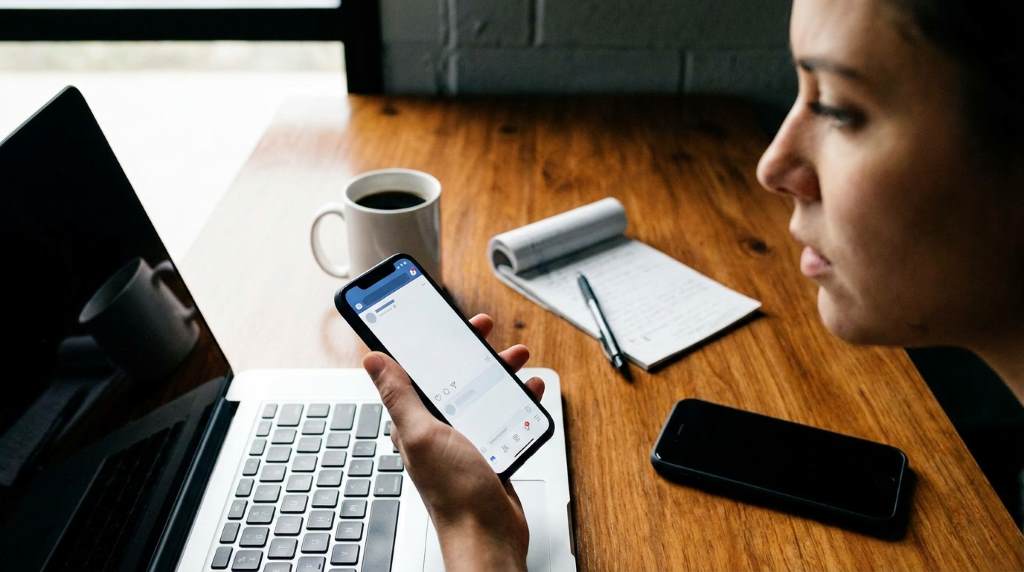
How to Retrieve Deleted Instagram Messages Through Instagram Data Download
The safest and most reliable method involves requesting your Instagram account data directly from Meta. Instagram stores certain account information temporarily, even after deletion. Therefore, downloading your data may help you recover important conversations. This method works best when messages were deleted recently. Additionally, it does not require third-party apps or risky software.
Steps to Download Instagram Data
- Open the Instagram app or website.
- Go to Settings and Privacy.
- Select Your Activity.
- Choose Download Your Information.
- Enter your email address and request the file.
- Wait for Instagram to send the download link.
Instagram usually sends the data file within a few hours, although delays may happen during busy periods. Users in large cities like New York or Los Angeles often experience faster processing because of stronger server connectivity and stable internet infrastructure. However, users in areas affected by severe weather conditions, such as heavy snowstorms in Chicago or hurricane season in Florida, may face slower download speeds. Once you receive the file, extract it and search the messages folder carefully. In many cases, deleted conversations may still appear in archived data.
Recover Messages From Connected Facebook Accounts
Instagram and Facebook messaging systems often connect through Meta’s integrated messaging platform. If your Instagram account links with Facebook Messenger, some deleted messages may still exist inside Messenger history. Therefore, checking your Facebook inbox can sometimes restore lost chats. This option works especially well for users who enabled cross-platform messaging. It also helps users who regularly switch between Instagram and Messenger.
Many social media users also improve account safety and messaging habits with smart platform strategies. You can explore 5 essential tricks and advice for using Instagram to strengthen your account management. Better security practices often reduce accidental deletion and account issues. Additionally, organized inbox habits make important conversations easier to preserve. Prevention always saves more time than recovery.
How to Check Messenger for Deleted Chats
- Open Facebook Messenger.
- Log into the connected Facebook account.
- Search for the Instagram contact name.
- Check archived and hidden conversations.
- Review synced message history carefully.
Some users recover weeks or even months of deleted Instagram conversations through Messenger syncing. However, success depends on previous account settings and synchronization status. If the accounts never connected, this method may not work effectively. Still, checking Messenger takes only a few minutes and involves no risk. Therefore, it remains one of the easiest recovery options available.
Ask the Other Person for the Conversation
One of the simplest solutions often gets ignored by many users. When you delete messages from your account, the other participant may still have the entire conversation saved. Therefore, asking the person to send screenshots or copy the chat can quickly solve the issue. This method works particularly well for personal chats and work-related communication. It also avoids technical recovery methods entirely.
Professional creators, influencers, and business owners in cities like Austin, Seattle, and Miami frequently rely on message backups for client communication. During unpredictable climate conditions such as winter storms or hurricane outages, cloud-based backups and screenshots become extremely useful. Asking contacts for chat records may save hours of recovery attempts. Moreover, most users respond positively when approached politely.
Check Notification History on Android Devices
Android devices sometimes store message previews inside notification history settings. Even if Instagram messages disappear from the app, notification logs may still contain parts of the conversation. This method mainly works for users who enabled notification history before deleting the messages. Although it does not fully restore chats, it can recover important details. Additionally, it requires no external applications.
How to Access Notification History
- Open Android Settings.
- Select Notifications.
- Tap Notification History.
- Search for Instagram notifications.
- Review saved message previews.
This option works best on newer Android devices with updated operating systems. Samsung, Google Pixel, and OnePlus devices often include advanced notification storage features. However, iPhone users generally have fewer recovery options through notifications because iOS handles notifications differently. Even so, Android notification history can still recover partial conversations or usernames. Those details may help rebuild missing information later.
Restore Messages Using Phone Backups
Phone backups sometimes contain older Instagram app data that includes deleted conversations. If you regularly back up your device using iCloud or Google Drive, you may recover earlier app versions. However, this process may overwrite current phone data, so caution remains important. Users should always create a fresh backup before restoring older files. Careful preparation prevents additional data loss.
Using iCloud Backup on iPhone
- Open iPhone Settings.
- Select General and then Transfer or Reset iPhone.
- Choose Erase All Content and Settings.
- Restart the device and select Restore from iCloud Backup.
- Choose the backup created before message deletion.
Users in colder American states such as Minnesota or Colorado often rely heavily on cloud storage during long winter seasons when indoor online communication increases. Similarly, users in hot southern regions like Texas and Arizona frequently use backups to protect work-related chats during device overheating or storm outages. Although restoring backups takes time, it sometimes recovers deleted Instagram data successfully. Therefore, backup systems remain highly valuable for long-term digital safety.
Avoid Third-Party Instagram Recovery Apps
Many websites and apps promise instant Instagram message recovery, but most create serious privacy and security risks. Some tools steal login credentials, while others install malware or collect personal data. Additionally, Instagram does not officially support most third-party recovery software. Therefore, users should avoid sharing passwords with unknown services. Safe recovery methods always protect account security first.
Scammers often target users desperate to recover important conversations or media files. They advertise fake recovery systems through social media ads and suspicious download pages. Unfortunately, many users lose access to their accounts after using these services. Instead of risking account theft, focus only on official Instagram recovery options. Trusted methods may take longer, but they protect your information properly.
Tips to Prevent Losing Instagram Messages Again
Learning how to retrieve deleted Instagram messages helps solve current problems, but prevention matters even more. Developing better messaging habits can reduce future stress and accidental deletions. Additionally, organized digital behavior improves communication management overall. Simple precautions often save valuable memories and professional conversations.
Best Prevention Practices
- Enable cloud backups regularly.
- Archive important screenshots safely.
- Avoid deleting chats during emotional moments.
- Use Messenger syncing when possible.
- Update Instagram and phone software frequently.
Social media professionals in cities with unpredictable climate conditions, such as New Orleans during hurricane season or Denver during snowstorms, often maintain multiple backups for safety. Sudden power outages or device failures can affect app data unexpectedly. Therefore, creating organized backups becomes even more important for active Instagram users. Small preventive habits usually eliminate major recovery problems later.
Common Mistakes People Make During Message Recovery
Many users panic immediately after deleting messages and rush into unsafe recovery methods. Unfortunately, quick decisions often create larger account problems later. Some people install random recovery apps without reading reviews or privacy policies. Others repeatedly reset their devices and accidentally overwrite recoverable data. Staying calm improves the chances of successful recovery significantly.
Another common mistake involves waiting too long before attempting recovery. Instagram servers and local device systems may gradually remove deleted information permanently over time. Therefore, acting early increases the possibility of restoring messages successfully. Users should also avoid logging into suspicious recovery websites. Protecting account credentials always remains the highest priority during recovery attempts.
Conclusion
Understanding how to retrieve deleted Instagram messages can save important conversations, personal memories, and business communication. Official recovery methods such as downloading Instagram data, checking Messenger syncing, reviewing notification history, and restoring backups offer the safest solutions. Additionally, preventive habits greatly reduce the chances of future message loss. Avoid risky third-party apps because they often compromise account security instead of helping users recover chats.
If you want better control over your social media accounts and messaging systems, continue learning platform management skills regularly. You can also explore how to see blocked accounts on TikTok for more social media guidance. Start using backups, screenshots, and secure account settings today to protect your important conversations. Smart digital habits always make online communication safer and easier.
FAQs
Can Instagram permanently deleted messages be recovered?
Sometimes users can recover deleted messages through downloaded Instagram data or backups if the deletion happened recently.
Does Instagram keep deleted messages forever?
No, Instagram may temporarily store some data, but permanently deleted messages eventually disappear from servers.
Are Instagram recovery apps safe?
Most third-party recovery apps are unsafe because they may steal account information or install malware.
Can I recover deleted Instagram messages on iPhone?
Yes, iPhone users may recover messages through iCloud backups or Instagram data downloads.
What is the safest way to recover Instagram messages?
The safest method involves requesting your Instagram data directly through official Instagram settings.